

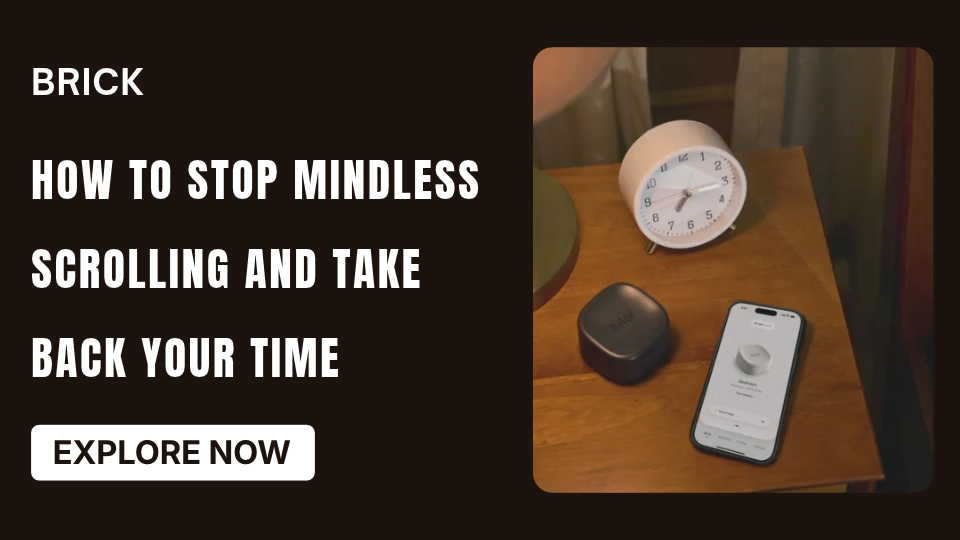
You pick up your phone to check one notification, open social media, and suddenly realize that much more time has passed than you expected. This is mindless scrolling: moving through posts, videos, and updates without a clear reason or intention. Learning how to stop mindless scrolling does not mean deleting every social media account or avoiding your phone completely. It means recognizing automatic habits and making more deliberate choices about when and why you use certain apps. With a few practical changes, you can reduce unnecessary scrolling and make room for activities that matter. If app restrictions are part of your plan, tools such as Brick offer another way to create boundaries around distracting applications.
Why Is Mindless Scrolling So Hard to Stop?
Social media platforms make it easy to move from one piece of content to another. Short videos, endless feeds, notifications, and constantly refreshed updates encourage people to keep checking for something new.
Scrolling can also become a response to everyday situations. You might open an app when you feel bored, experience a short break, avoid a difficult task, or simply want something to do while waiting.
The habit often becomes automatic. Instead of deciding to use social media, you reach for your phone without thinking.
Common signs include:
- Opening social media without a specific purpose.
- Spending longer on an app than you intended.
- Checking your phone during small breaks.
- Scrolling even when you are no longer enjoying the content.
- Delaying tasks because you keep checking updates.
- Reaching for your phone whenever you feel bored.
Recognizing these patterns is the first step toward changing them.
8 Practical Ways to Stop Mindless Scrolling
1. Identify Your Scrolling Triggers
Start by noticing when you usually open social media. Is it first thing in the morning, during work breaks, before sleeping, or whenever you feel bored?
For a few days, observe what happens before you start scrolling. You may discover that certain situations repeatedly trigger the habit.
Once you recognize those moments, you can prepare a different response. For example, keep a book nearby during breaks or take a short walk when you feel the urge to check your phone.
2. Set a Clear Purpose Before Opening an App
Before opening social media, ask yourself one simple question: What am I here to do?
You might want to reply to a message, check an update, or share something with friends. Complete that task and close the app when you are finished.
Having a clear purpose makes it easier to distinguish intentional use from automatic browsing.
3. Turn Off Unnecessary Notifications
Notifications can repeatedly pull your attention toward your phone.
Review your settings and disable alerts that do not require immediate attention. You may decide to keep important calls and messages enabled while turning off promotional alerts, social media activity updates, and non-essential notifications.
You can also use Do Not Disturb during work sessions, reading time, or other activities that require concentration.
4. Move Social Media Apps Away From Your Home Screen
The easier an app is to access, the more likely you may be to open it automatically.
Move distracting applications into a folder or remove them from your main home screen. You can also log out of selected platforms after using them.
These small changes introduce an extra step before scrolling begins, giving you an opportunity to reconsider whether you actually want to open the app.
5. Create Specific Social Media Times
Trying to avoid social media all day may feel unrealistic, especially when you use it to communicate or stay informed.
Instead, choose specific periods for checking updates. For example, you might use social media during a lunch break and for a short period in the evening.
Set a reasonable limit that fits your daily responsibilities. The aim is to make scrolling intentional rather than allowing it to fill every spare moment.
6. Replace Scrolling With Offline Activities
Removing a habit is easier when you have something else to do.
Prepare a short list of activities you can enjoy without a screen:
- Read a few pages of a book.
- Go for a walk.
- Exercise or stretch.
- Prepare a meal.
- Practice a creative hobby.
- Talk with a friend or family member.
- Organize a small area of your home.
Choose alternatives that genuinely interest you. They should feel rewarding, not like additional chores.
7. Avoid Starting and Ending the Day With Scrolling
Morning and bedtime routines can become common opportunities for unnecessary phone use.
Try keeping your phone away from your bed and avoid opening social media immediately after waking up. Begin the day with breakfast, planning, reading, or another simple activity.
At night, establish a period for relaxing without endless feeds. If you need your phone for essential communication, keep those functions available while limiting distracting applications.
8. Review Your Screen Time Regularly
Your phone’s built-in Screen Time or Digital Wellbeing tools can show how much time you spend using individual applications.
Check your usage once a week and identify which apps take up the most time. Set realistic goals for reducing unnecessary use instead of expecting an immediate dramatic change.
Small, consistent improvements can be more practical than strict limits that are difficult to maintain.
How Brick Can Help You Reduce Mindless Scrolling
Personal habits are important, but sometimes you need an additional barrier between yourself and distracting applications. This is where a physical app blocker can be useful.
Brick offers a physical device that works with its mobile application to help users manage access to selected apps and websites.
Brick: A Physical App Blocker
The standard Brick device lets you select distracting applications through the Brick app and create customized blocking modes. When you want to start a session, you tap your compatible phone against the physical Brick device. The selected apps remain blocked until you return to the device and reactivate access.
You can create different modes for activities such as studying, working, reading, or taking a break from social media. This can be helpful when ordinary screen-time reminders are not enough to interrupt automatic scrolling.
Brick Night: Automatic Bedroom Blocking
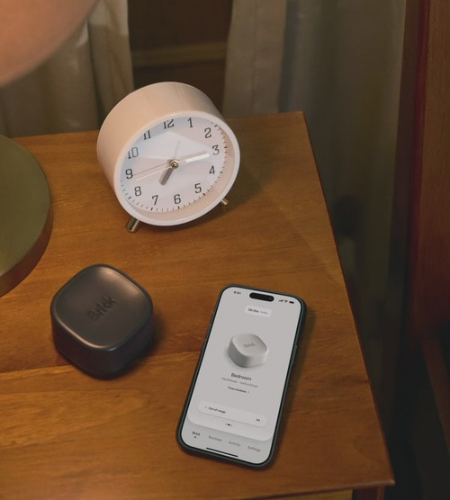
Brick Night takes a different approach. It uses Bluetooth technology to automatically block selected apps when your phone enters a designated space during the time window you configure.
This may be useful if bedtime scrolling is one of your biggest challenges. Rather than relying entirely on remembering to activate a blocking session, you can establish an automatic boundary for your bedroom.
The official store currently lists the standard Brick at $59 and Brick Night at $129. The website also advertises free shipping on orders over $75 and a 30-day money-back guarantee. Check the official store for current prices, eligibility, and applicable terms. Brick LLC+2

Pros and Cons of Using an App Blocker
Potential advantages:
- Creates an extra step before opening distracting apps.
- Helps establish dedicated phone-free periods.
- Supports customized routines for different activities.
- Can complement built-in screen-time settings.
Things to consider:
- Requires setup and a compatible smartphone.
- May not be necessary if simple app limits already work for you.
- Brick and Brick Night use different activation methods, so choosing the right product depends on your routine.
An app blocker is a support tool, not a replacement for understanding your habits and deciding how you want to use technology.
Frequently Asked Questions
1. What is mindless scrolling?
Mindless scrolling means continuously browsing digital content without a clear purpose, often for longer than intended.
2. How can I stop scrolling when I am bored?
Identify an alternative activity before boredom strikes. Reading, walking, stretching, or contacting a friend can provide a simple replacement.
3. Does turning off notifications help reduce scrolling?
It can help by reducing interruptions and removing some reasons to check your phone repeatedly.
4. Should I delete social media to stop mindless scrolling?
Not necessarily. You can begin by setting usage limits, removing apps from your home screen, and choosing specific times for social media.
5. Can Brick block social media applications?
Brick allows users to select applications and websites to block through its mobile app and activate customized blocking modes using its physical device.
Conclusion
Learning how to stop mindless scrolling starts with understanding your triggers and changing the small habits that lead to unnecessary phone use. Set intentional social media times, reduce notifications, choose offline alternatives, and review your screen-time patterns regularly.
If you need more structure, Brick offers physical app-blocking solutions that may help you maintain boundaries around distracting applications. Visit the official Brick store to explore its products and decide whether they suit your daily routine.