

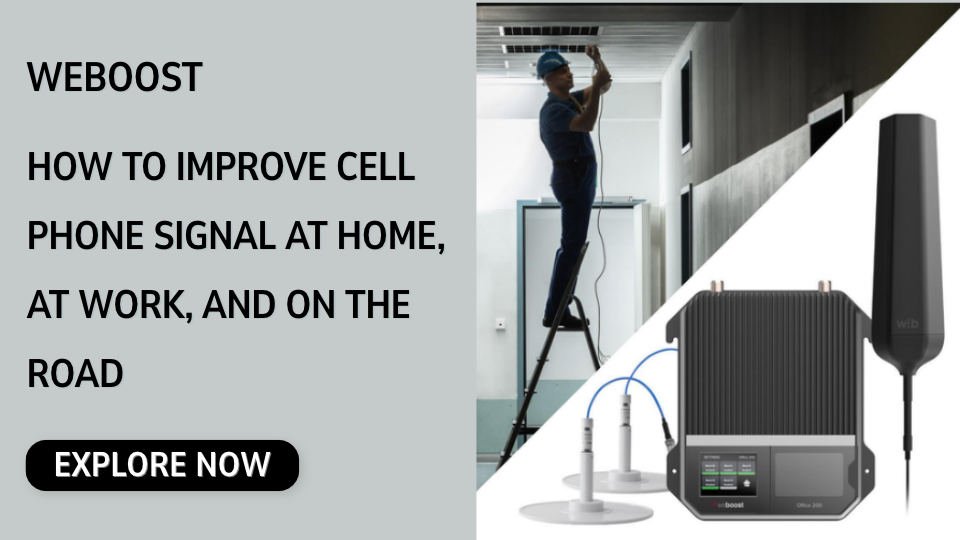
A weak cell phone signal can make everyday communication frustrating. Dropped calls, slow mobile internet, delayed messages, and interrupted video calls can affect everything from remote work to staying connected with family. Learning how to improve cell phone signal starts with understanding why reception becomes weak and which solutions can help. Distance from nearby cell towers, building materials, surrounding terrain, and physical obstacles can all affect mobile connectivity. While simple adjustments may improve reception in certain situations, a dedicated signal booster can be worth considering when poor coverage becomes a regular problem. weBoost offers different cell signal booster solutions designed for homes, offices, vehicles, and recreational vehicles, making it easier to explore options based on individual connectivity needs.
Why Does Cell Phone Signal Become Weak?
Mobile phones communicate with nearby cellular towers using radio frequency signals. However, several factors can interfere with this connection.
Common reasons include:
- Distance from cell towers: Homes and workplaces in remote locations may receive weaker signals because of their distance from cellular infrastructure.
- Building materials: Concrete walls, metal structures, insulated windows, and other construction materials can reduce indoor reception.
- Natural obstacles: Hills, mountains, trees, and surrounding terrain may affect signal strength.
- Network congestion: Heavy network usage in busy locations can contribute to slower data performance.
- Vehicle movement: Traveling through rural areas, tunnels, and locations with limited coverage can interrupt connectivity.
Identifying the reason behind weak reception is an important first step toward choosing an appropriate solution.
How to Improve Cell Phone Signal Without Buying Equipment
Before investing in additional equipment, consider a few practical adjustments.
1. Move Toward a Window
Indoor walls and construction materials can weaken incoming cellular signals. Moving closer to a window or an open area may help your phone receive a stronger connection.
2. Change Your Location
If you experience poor reception in one room, try another part of the building. Upper floors or areas with fewer physical obstructions may provide better reception.
3. Check Your Network Settings
Make sure your phone uses an appropriate network mode and that mobile data is enabled. Restarting the device or briefly toggling airplane mode may also help it reconnect to the network.
4. Enable Wi-Fi Calling
If your mobile carrier and smartphone support Wi-Fi Calling, this feature may help you make and receive calls through a suitable wireless internet connection when cellular reception is limited.
5. Check Your Carrier Coverage
Review your carrier’s coverage information to understand whether weak reception is related to local network availability. A signal booster cannot create cellular coverage where no usable signal exists.
These adjustments are worth trying, but they may not solve persistent reception problems caused by distance, terrain, or building materials.
How Do Cell Phone Signal Boosters Work?
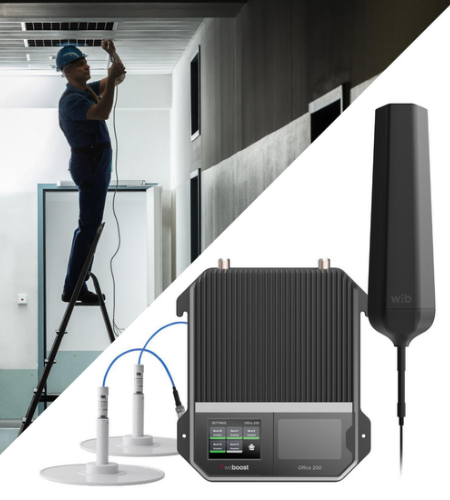
A cell phone signal booster is designed to capture an existing cellular signal, amplify it, and redistribute the improved signal within a specific area.
Most systems use three main components:
- Outside antenna: Captures available signals from nearby cell towers.
- Amplifier: Receives and amplifies the incoming cellular signal.
- Inside antenna: Distributes the amplified signal to compatible mobile devices within the coverage area.
This technology can be useful for people experiencing weak indoor reception or inconsistent connectivity in vehicles.
However, performance depends on the available outdoor signal, installation, equipment specifications, and surrounding conditions. A booster improves an existing signal rather than generating a completely new cellular connection.
Top weBoost Products and Categories
Choosing a suitable signal booster depends on the size of the coverage area, number of users, and whether the equipment will remain stationary or move between locations.
Some relevant options include:
1. Home Studio
Home Studio is designed for improving cellular reception in a single room. It may suit apartments, smaller homes, or specific areas where indoor reception is consistently weak.
2. Home MultiRoom
Home MultiRoom is designed for coverage across approximately two to three rooms. It may be worth considering for households that need better connectivity across several living or working spaces.
3. Home Complete
Home Complete is intended for larger residential coverage requirements. It is designed to support multiple users and offers a DIY installation option.
4. Drive Reach
Drive Reach is a vehicle signal booster designed for cars, SUVs, trucks, and vans. It may be useful for people who frequently travel through areas with inconsistent cellular reception.
5. RV20
RV20 is designed for recreational vehicles and supports cellular connectivity while parked or traveling. Its suitability depends on the vehicle setup and coverage requirements.
These products serve different purposes, so comparing their coverage capabilities and installation requirements is important before making a decision.
Key Benefits of Choosing a Suitable Signal Booster
A properly selected and installed signal booster may offer several practical advantages:
- Improved indoor reception: Helps distribute an available cellular signal inside buildings.
- More convenient communication: May reduce dropped calls in areas with weak reception.
- Better mobile connectivity: Can help improve cellular data performance when sufficient signal is available.
- Multiple device support: Certain systems are designed to support several compatible cellular devices.
- Different installation options: Product choices include solutions for residential and mobile environments.
Actual performance varies depending on signal availability, installation, and environmental conditions.
How weBoost Fits the Topic
weBoost specializes in cellular signal booster systems designed for different environments. Its product range includes solutions for residential properties, businesses, cars, trucks, RVs, and remote working locations.
Instead of offering one universal solution, the brand organizes its products around different coverage requirements.
This approach helps customers compare equipment according to where they experience connectivity problems.
The company also highlights compatibility with supported cellular networks and devices, including 5G-ready solutions. However, compatibility depends on the particular product, supported frequency bands, carrier, and location.
Pricing, Warranty, and Customer Support
weBoost offers products across different price ranges depending on their intended applications and coverage capabilities.
For example, its listed Home Studio, Home MultiRoom, and Drive Reach products have different prices because they serve different connectivity needs. Prices and availability can change, so checking the official product listings is recommended before purchasing.
The company also advertises a 30-day money-back guarantee and a two-year manufacturer’s warranty for residential and vehicle boosters. Business booster warranty terms may differ.
Another consideration is that weBoost systems do not require a recurring weBoost subscription. However, customers still need compatible cellular service, and separate carrier charges may apply.
Reviewing current warranty conditions, return requirements, and product compatibility can help buyers make a more informed decision.
Pros and Cons of weBoost
Pros
- Solutions for homes, offices, and vehicles.
- Different products for different coverage requirements.
- Options designed for multiple users.
- Products advertised as compatible with supported 5G networks.
- Manufacturer warranty and return options.
Cons
- Initial equipment costs may be considerable.
- Installation requirements vary between products.
- Performance depends on available outdoor cellular reception.
- Not every model is suitable for every building or vehicle.
Frequently Asked Questions
1. How can I improve cell phone signal inside my house?
Try moving closer to windows, checking your network settings, and enabling Wi-Fi Calling. If poor reception continues, a suitable indoor signal booster may help.
2. Do cell phone signal boosters really work?
Yes, properly selected signal boosters can amplify existing cellular signals. Their effectiveness depends on outdoor reception, equipment compatibility, and installation.
3. Can a signal booster improve 5G reception?
Some signal boosters are designed to support specific 5G frequency bands. Always check the product specifications and carrier compatibility before purchasing.
4. Are cell phone boosters suitable for rural areas?
They can be useful in rural locations where some usable cellular signal is available outside. However, they cannot create coverage in areas without an accessible signal.
5. Can one signal booster support multiple phones?
Yes, certain residential and vehicle boosters are designed to support multiple compatible devices within their coverage areas.
Conclusion
Knowing how to improve cell phone signal can make everyday communication more convenient, whether you are working from home, managing a business, or traveling. Simple adjustments such as changing your location and enabling Wi-Fi Calling are useful starting points. For persistent reception problems, a suitable signal booster may provide another practical option.
weBoost offers different solutions for residential, business, and vehicle connectivity requirements. Comparing product specifications, coverage needs, compatibility, and installation options can help you identify an appropriate system. Visit the official weBoost website to review its available signal boosters and find a solution that matches your connectivity requirements.